Are you looking to build your own accounting software using Python but don’t know where to start? Imagine having a tool tailored exactly to your needs—simple, efficient, and designed by you.
You’ll discover step-by-step how to create accounting software that can handle transactions, track expenses, and generate reports. By the end, you’ll have the confidence and know-how to turn your ideas into a practical, working application. Ready to take control of your finances through coding?
Let’s dive in.
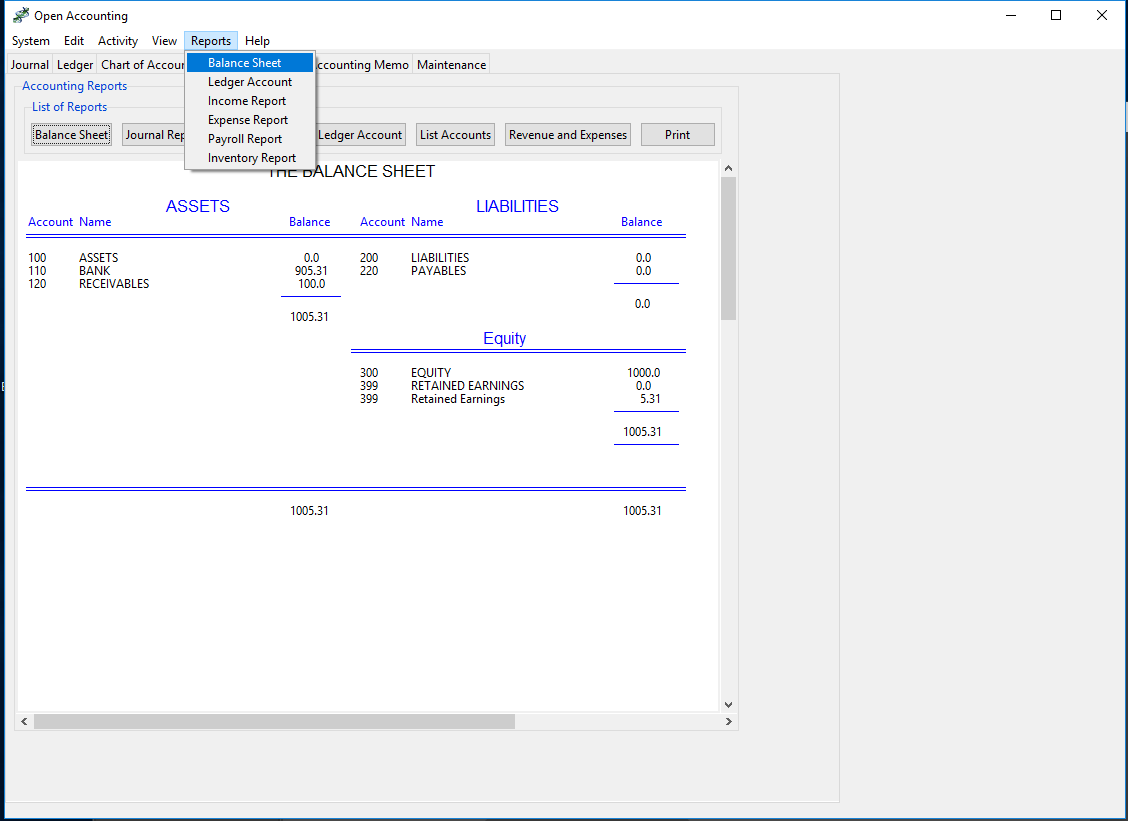
Credit: medmatix.github.io
Planning Your Software
Planning your accounting software is the first step in building a useful tool. Good planning helps avoid mistakes and saves time. It lets you focus on what the software needs to do. This stage sets the path for the whole project.
Identifying Key Features
Start by listing the main features your software should have. Think about basic tasks like tracking income and expenses. Include invoice creation, tax calculation, and report generation. Add user management and data backup if needed. Focus on features that help users manage their accounts easily.
Setting Up Project Requirements
Define the technical needs for your software. Decide which Python libraries you will use. Choose a database to store financial data safely. Plan the user interface for easy navigation. Set performance goals to keep the software fast and reliable. Clear requirements guide your development process.
Choosing Tools And Libraries
Choosing the right tools and libraries is essential for building accounting software in Python. The tools help manage tasks, speed up development, and keep the code clean. Picking the correct frameworks and databases affects how well the software works and how easy it is to maintain. This section covers the best Python frameworks and database options for accounting software.
Selecting Python Frameworks
Python has many frameworks to build software quickly. For accounting software, choose frameworks that support web development and data handling. Django is a popular choice. It offers built-in features for security and database management. Flask is another option. It is lightweight and flexible, good for smaller projects or custom designs. Both frameworks help organize code and manage user data safely.
Look for frameworks with strong community support. This means more tutorials and plugins are available. It also means easier troubleshooting if problems arise. Choose frameworks that handle forms, user authentication, and data validation well. These features are important for accounting software to keep data accurate and secure.
Database Options For Accounting
Accounting software needs a reliable database to store financial records. Choose databases that support complex queries and transactions. PostgreSQL is a strong choice. It is open-source, stable, and handles large data well. SQLite works for simpler software or testing. It is easy to set up and requires no server.
MySQL is another good option. It is fast and widely used in many applications. Make sure the database supports backups and data recovery. Financial data must be safe from loss or corruption. Pick a database that integrates smoothly with your chosen Python framework. This will simplify development and maintenance.
Designing The User Interface
Designing the user interface is a key step in building accounting software with Python. It shapes how users interact with the program. A clear and simple interface helps users enter data and view reports easily. The design must focus on usability and clarity. Good design reduces errors and saves time.
Start with planning the layout. Plan where buttons, text boxes, and labels should go. Think about the flow of tasks users will perform. This helps create a smooth experience.
Creating Wireframes
Wireframes are basic sketches of the interface. They show the placement of elements without colors or styles. Use paper or digital tools to draw wireframes. This step helps organize information and controls logically.
Focus on main screens like login, dashboard, and data entry forms. Keep the design simple. Use boxes to mark buttons and input fields. Share wireframes with others to get feedback. Make changes before coding the interface.
Implementing Gui With Tkinter
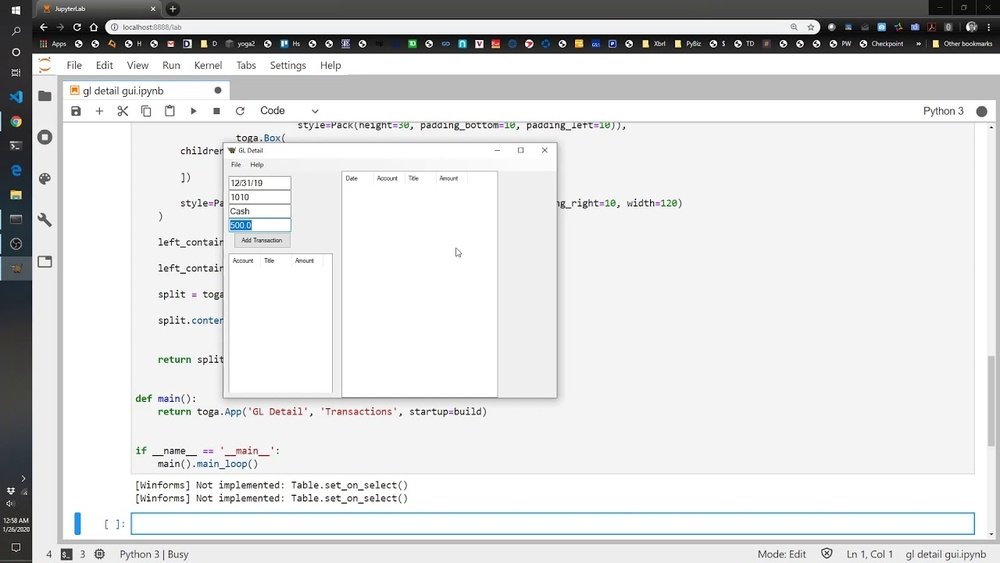
Tkinter is a popular Python library for creating graphical user interfaces. It is easy to learn and comes pre-installed with Python. Use Tkinter to build windows, buttons, labels, and entry fields.
Start by creating a main window. Add widgets for user inputs like text boxes and drop-down menus. Arrange them using layout managers such as grid or pack. Use clear labels to guide users. Add buttons for actions like save, delete, and view reports.
Test the interface often. Make sure all buttons work and inputs are easy to use. Keep the design clean with enough space between elements. Tkinter allows customizing colors and fonts. Choose simple styles that improve readability and focus.

Credit: thepythoncode.com
Building Core Accounting Functions
Building core accounting functions is key to creating reliable software in Python. These functions help track money flow, manage bills, and summarize finances. Clear, simple code keeps the software easy to use and maintain.
Focus on essential features first. This approach ensures the software meets basic accounting needs. The main parts include handling transactions, managing invoices and payments, and generating financial reports.
Managing Transactions
Transactions record money moving in and out. Each transaction needs details like date, amount, and type. Use Python classes to store and update these records. Keep the code clean to avoid errors in data.
Validation checks help prevent mistakes. For example, check if amounts are numbers and dates are valid. Save transactions in lists or databases for easy access later.
Handling Invoices And Payments
Invoices list what customers owe. Payments show money received. Connect invoices and payments to track balances. Create functions to add, update, and delete invoices and payments.
Use Python dictionaries or classes to organize invoice data. Automate status updates like “paid” or “due.” This helps users see which invoices need attention quickly.
Generating Financial Reports
Reports summarize financial data for review. Common reports include profit and loss, balance sheets, and cash flow. Write functions to calculate totals and format data clearly.
Use Python’s built-in tools to create tables or export reports as files. Make reports easy to read and understand for better decision-making. Regular updates keep the reports accurate and useful.
Setting Up Data Storage
Setting up data storage is a key step in creating accounting software with Python. This step ensures your software can save, organize, and retrieve financial information safely. Without proper storage, data might get lost or become difficult to manage.
Good data storage helps keep records clear and accessible. It supports smooth operations and accurate reports. Start by planning how the data will be stored and accessed.
Designing The Database Schema
Design the database schema to organize your data well. Think about the main parts like customers, invoices, payments, and accounts. Each part needs its own table. Define fields for each table such as name, date, amount, and status.
Use simple and clear names for tables and fields. Set proper data types like text, numbers, or dates. Add keys to connect tables, like customer ID linking invoices to customers. This structure keeps data organized and easy to search.
Connecting Python To The Database
Choose a database system like SQLite or MySQL for storing your data. Use Python libraries like sqlite3 or SQLAlchemy to connect your code to the database. These tools let your program read and write data easily.
Start by importing the library and opening a connection to the database file or server. Create a cursor or session to run SQL commands. Use simple commands to insert, update, or fetch data. Close the connection properly to save changes.
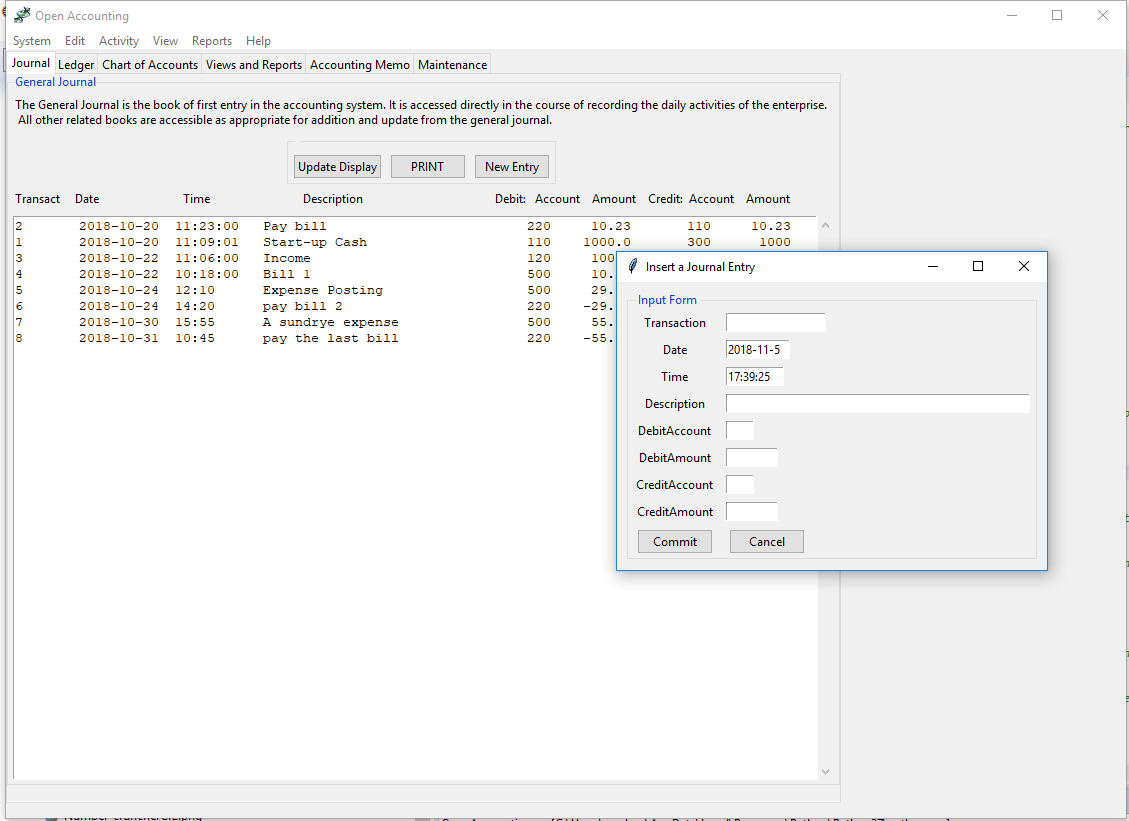
Credit: medmatix.github.io
Adding Security Measures
Adding security measures is key to protect accounting software. Sensitive financial data must stay safe from unauthorized access. Strong security builds trust and keeps users confident.
Focus on two main areas: user authentication and data encryption. Both help stop hackers and protect information. Implementing these steps early makes your software more reliable and secure.
Implementing User Authentication
User authentication confirms who is using the software. It prevents outsiders from entering. Start by creating a login system with usernames and passwords.
Use libraries like Flask-Login or Django’s built-in authentication for easy setup. Require strong passwords with numbers and letters. Limit login attempts to block repeated tries.
Consider adding two-factor authentication (2FA). This adds a second step, such as a code sent to a phone. It makes unauthorized access much harder.
Data Encryption Techniques
Encrypt sensitive data to keep it safe even if accessed illegally. Use Python libraries like PyCryptodome or cryptography for strong encryption.
Encrypt data both when stored (at rest) and when sent over the internet (in transit). Use HTTPS protocols for secure data transfer.
Securely store encryption keys. Avoid hardcoding them in the software. Use environment variables or key management services instead.
Testing And Debugging
Testing and debugging are key steps in building reliable accounting software with Python. They help find problems early and fix them before users see them. Proper testing ensures your software handles calculations and data accurately. Debugging helps trace errors and improve the code’s stability.
These steps save time and prevent costly mistakes in financial records. Careful testing and debugging lead to software that users trust and rely on every day.
Unit Testing Core Components
Unit testing checks small parts of your software separately. Test functions that calculate taxes or add transactions. Write tests for each feature to confirm it works as expected. Use Python tools like unittest or pytest. These tools run your tests and show which parts fail. Run tests often during development to catch errors early.
Unit tests help keep the code clean. They make it easier to add features without breaking existing ones. Testing core components prevents bugs from spreading through the software.
Fixing Common Errors
Common errors include wrong calculations, data type mismatches, and missing inputs. Check error messages carefully to understand the problem. Use print statements or debugging tools like pdb to trace code execution. Look for places where the code might crash or give wrong results. Fix issues step by step and re-test after each fix.
Keep a list of frequent bugs and solutions. This list helps solve problems faster in the future. Fixing errors quickly improves software quality and user trust.
Deployment And Maintenance
Deployment and maintenance are vital steps after building your accounting software in Python. These steps ensure your software runs smoothly and stays up to date. Proper deployment makes the software easy to install and use. Maintenance keeps the software secure and bug-free over time.
Good deployment and maintenance improve user experience and trust. They also help avoid future problems and save time in the long run.
Packaging The Application
Packaging your Python accounting software means preparing it for easy installation. Use tools like PyInstaller or cx_Freeze to convert your program into an executable file. This step removes the need for users to install Python or libraries separately.
Create a clear folder structure with all necessary files. Include a README file with installation instructions. Test the package on different systems to ensure it works well everywhere.
Planning For Updates
Plan regular updates to fix bugs and add features. Use version control systems like Git to manage changes. This helps track what was changed and why.
Inform users about updates and how to install them. Automate updates if possible, using tools like pip or custom scripts. This keeps the software fresh and secure without much hassle.
Frequently Asked Questions
What Are The Basic Features Of Python Accounting Software?
Python accounting software typically includes invoicing, expense tracking, financial reporting, and tax calculations. These features help automate financial tasks efficiently and reduce errors, making accounting easier for businesses and individuals.
How Do I Start Coding Accounting Software In Python?
Begin by defining the software’s core functions like ledger management and report generation. Use Python libraries like Pandas for data handling and Tkinter for the user interface to build a functional prototype.
Can Python Handle Complex Financial Calculations Accurately?
Yes, Python supports complex financial calculations using libraries such as NumPy and Decimal. These tools ensure precision and help manage large datasets, making Python reliable for accounting software development.
What Python Libraries Are Best For Accounting Software?
Key libraries include Pandas for data manipulation, NumPy for calculations, Matplotlib for charts, and SQLAlchemy for database management. These libraries streamline development and improve software functionality.
Conclusion
Creating accounting software in Python takes patience and practice. Start with simple features like recording transactions and generating reports. Test your code often to avoid mistakes. Keep improving your program step by step. This project helps you learn coding and understand accounting better.
Anyone can build useful software with the right effort. Stay curious and keep coding!