
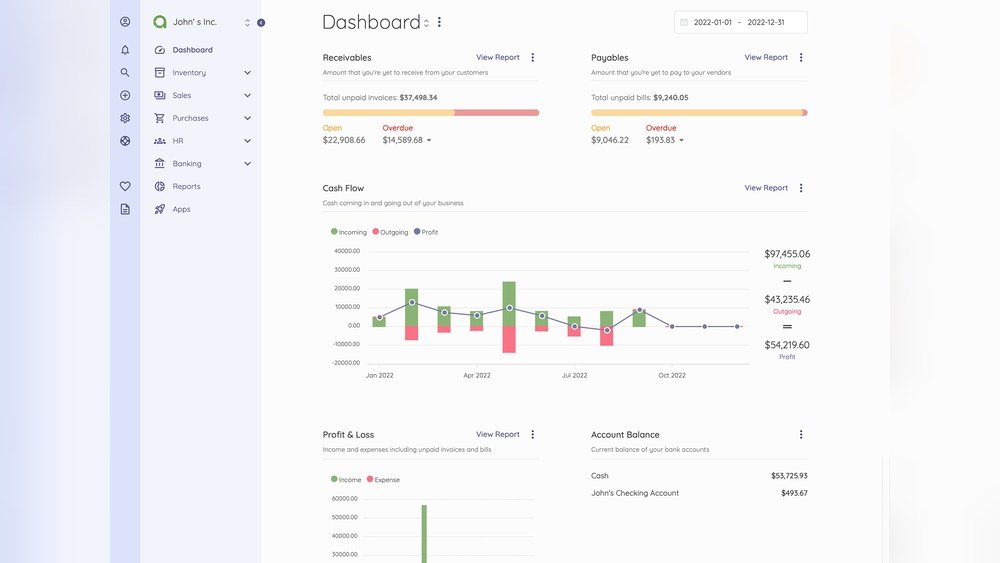
Are you ready to take control of your finances with a tool that fits your exact needs? Creating your own web-based accounting software can save you time, reduce errors, and give you clear insights into your business’s money flow.
Imagine having access to your accounts anytime, anywhere, without relying on expensive third-party services. You’ll discover simple, step-by-step guidance to build powerful accounting software tailored just for you. Keep reading to unlock the secrets that make managing your finances easier than ever.
Credit: www.unifiedinfotech.net
Planning Your Software
Planning your web-based accounting software is the first step toward success. It helps you build a clear path and avoid costly mistakes. Careful planning ensures your software meets user needs and works well.
Identifying User Needs
Start by understanding who will use the software. Talk to potential users and learn what they want. Find out what tasks they do daily and what problems they face.
Focus on simple solutions to common accounting tasks. This helps you create software that users find helpful and easy to use.
Choosing Core Features
Pick the main features that your software must have. These might include invoicing, expense tracking, and financial reporting. Keep features basic at first. Add more later based on user feedback.
Choose features that solve real problems and save time. Avoid adding too many features that confuse users or slow down the system.
Setting Project Goals
Set clear goals for your software project. Decide what success looks like. For example, a working prototype in three months or a user-friendly design.
Goals help keep the team focused and on schedule. They also make it easier to measure progress and improve the software step by step.
Designing The Architecture
Designing the architecture is a critical step in creating web-based accounting software. It sets the foundation for performance, security, and user experience. A well-planned architecture guides developers and ensures the software runs smoothly.
Good architecture balances functionality with simplicity. It separates different parts of the system clearly. This approach helps in managing the software easily and fixing issues fast.
Selecting Technology Stack
The technology stack includes tools and languages used to build the software. Choose languages that support web development like JavaScript, Python, or PHP. For the front end, frameworks like React or Angular work well.
Pick a backend framework that handles data and logic securely. Node.js, Django, and Laravel are popular choices. Select technologies that your team knows to speed up development.
Database Design Basics
Accounting software needs a strong database to store financial data safely. Use relational databases like MySQL or PostgreSQL for structured data. Create tables for users, transactions, invoices, and reports.
Design tables with clear relationships and indexes for fast queries. Keep sensitive data encrypted. Regular backups are essential to avoid data loss.
Ensuring Scalability
Scalability means the software can grow with more users and data. Build the system in layers to add features without breaking it. Use cloud services like AWS or Azure for flexible resources.
Implement load balancing to spread traffic evenly. Optimize code and database queries to keep response times low. Planning for growth avoids problems later.
Developing The Frontend
Developing the frontend of web-based accounting software is vital. It shapes how users interact with your application. A clean, simple design boosts user satisfaction and efficiency.
The frontend must display data clearly. Users need quick access to reports, invoices, and financial summaries. Smooth navigation helps users complete tasks faster.
Creating User Interfaces
Start with a clear layout. Group related features and data logically. Use simple menus and buttons to guide users. Forms for data entry should be easy to fill and error-free.
Choose readable fonts and consistent colors. Avoid cluttering the screen. Clear labels and tooltips improve understanding. Visual feedback confirms user actions immediately.
Responsive Design Tips
Design for all screen sizes. The software should work on desktops, tablets, and phones. Use flexible grids and images that resize smoothly.
Test your design on different devices often. Make sure buttons are large enough for touch screens. Keep loading times short for better user experience.
Integrating User Authentication
Secure login is essential for accounting software. Use strong password policies and encryption methods. Add options for two-factor authentication to increase security.
Keep the login process simple but safe. Provide clear error messages for login issues. Protect user data and prevent unauthorized access at all times.
Building The Backend
Building the backend is a key step in creating web-based accounting software. It handles data, processes requests, and runs the core functions. A strong backend ensures the software works fast and stays reliable.
The backend connects the user interface with the database. It manages everything from user accounts to financial transactions. Let’s explore the main parts of backend development.
Api Development
APIs act as bridges between the frontend and backend. They let the software send and receive data smoothly. Well-designed APIs keep communication clear and secure.
Create RESTful APIs to handle tasks like adding invoices or fetching reports. Use JSON format for easy data exchange. Keep endpoints simple and consistent for better use.
Implementing Business Logic
Business logic controls how accounting rules work in the software. It calculates taxes, tracks payments, and manages budgets. This logic must be accurate and follow legal standards.
Write clean, modular code to handle different accounting operations. Validate data carefully to avoid errors. Keep logic separate from other parts to make updates easier.
Data Security Measures
Protecting financial data is crucial. Use encryption to keep information safe during transmission and storage. Implement strong user authentication to limit access.
Regularly update security patches and monitor for threats. Backup data often to prevent loss. Secure the backend to build user trust and comply with regulations.
Testing And Quality Assurance
Testing and quality assurance are key to building reliable web-based accounting software. These processes ensure the software works correctly and meets user needs. Catching errors early saves time and money. It also improves user trust and satisfaction.
Testing covers many areas. Each type checks a different part of the software. Quality assurance keeps the whole process organized and effective. It confirms the software is stable and secure before launch.
Unit And Integration Testing
Unit testing checks small pieces of code for correct behavior. It tests one function or module at a time. This helps find bugs early in development. Integration testing checks how different modules work together. It ensures data flows smoothly between parts. Both tests prevent future problems and improve code quality.
Performance Testing
Performance testing measures how fast and stable the software runs. It tests response times under different user loads. This is vital for accounting software to handle many users. Slow or crashing software harms user experience and trust. Performance tests reveal bottlenecks and areas needing improvement.
Bug Tracking And Fixing
Bug tracking logs issues found during testing. It helps organize and prioritize fixes. Developers review bug reports and correct errors step-by-step. Fixing bugs quickly keeps the project on track. Clear communication in bug tracking avoids duplicated work and missed issues.
Deployment And Maintenance
Deployment and maintenance are critical steps in launching web-based accounting software. Proper deployment ensures your software runs smoothly online. Maintenance keeps the software updated and secure. Both impact user experience and software reliability.
Choosing Hosting Solutions
Select a hosting provider that guarantees uptime and fast speeds. Cloud hosting offers flexibility and easy scaling. Shared hosting suits small projects but may limit performance. Dedicated servers provide more control but cost more. Consider data security and backup options as well.
Continuous Integration Setup
Set up continuous integration (CI) to automate testing and deployment. CI helps detect bugs early and speeds up updates. Use tools like Jenkins, Travis CI, or GitHub Actions. Automate code builds and tests before deployment. This reduces errors and improves software quality.
Regular Updates And Support
Update the software frequently to fix bugs and add features. Keep security patches up to date to protect user data. Provide clear support channels for users to report issues. Monitor software performance and respond quickly to problems. Regular maintenance extends software life and builds trust.
Compliance And Security
Building web-based accounting software demands strong focus on compliance and security. Protecting user data and following legal rules is essential. This keeps the software trustworthy and safe to use. It also avoids legal problems and builds user confidence.
Data Privacy Regulations
Respecting data privacy laws is crucial. Laws like GDPR or CCPA guide how to handle personal data. Collect only necessary data and store it safely. Inform users about data use clearly. Regularly update privacy policies to meet new rules. Secure data during transfer and storage using encryption.
Secure Payment Processing
Handle payments with care. Use trusted payment gateways that follow security standards. Encrypt payment details to prevent theft. Verify transactions to spot fraud early. Apply secure socket layer (SSL) certificates on payment pages. This protects sensitive financial information from hackers.
User Access Controls
Control who can see and edit data. Assign roles like admin, accountant, or viewer with limited access. Use strong passwords and two-factor authentication. Track user activities to detect unusual actions. Regularly review and update user permissions. This limits risks from inside and outside threats.

Credit: radixweb.com
Enhancing User Experience
Enhancing user experience is key to successful web-based accounting software. Users need easy and fast access to their financial data. A smooth experience keeps users engaged and reduces errors. Simple design and clear layout help users work better.
Good user experience means users spend less time learning the software. It also means fewer mistakes in accounting tasks. Focus on features that make the software flexible and accessible.
Customizable Dashboards
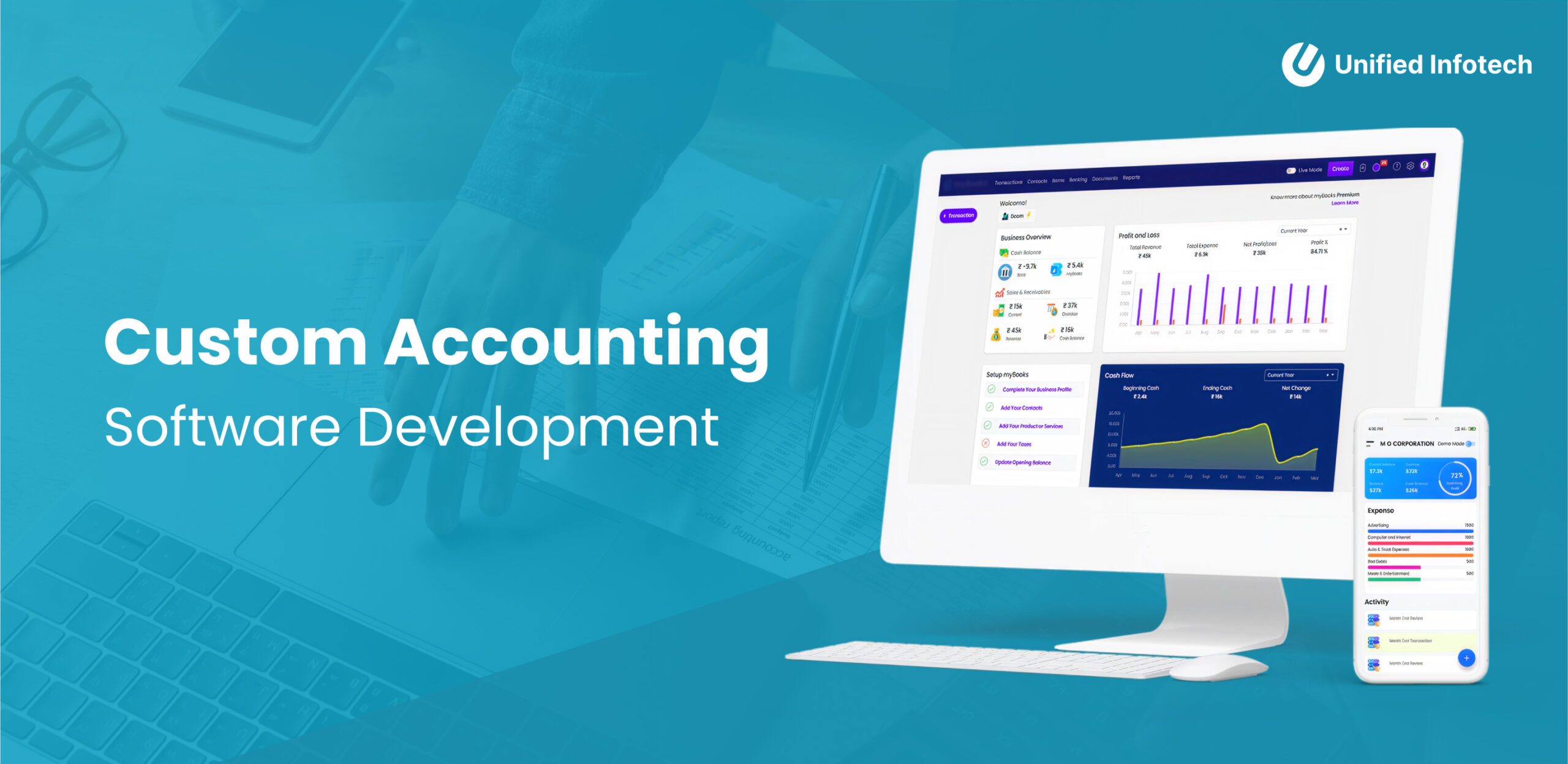
Allow users to change their dashboard view. They can add or remove widgets to see what matters most. Custom dashboards help users track key data quickly. Personalizing dashboards improves work speed and satisfaction.
Real-time Reporting
Show financial data as it updates. Real-time reports give users the latest numbers instantly. This helps with fast decision-making and reduces delays. Clear charts and tables make reports easy to understand.
Mobile Accessibility
Make the software work well on phones and tablets. Users can check accounts anytime and anywhere. Mobile access supports on-the-go business needs. The interface should be simple and touch-friendly for mobile users.
Credit: www.accountingseed.com
Frequently Asked Questions
What Are The Key Features Of Web-based Accounting Software?
Web-based accounting software includes real-time data access, cloud storage, multi-user support, automation of tasks, and secure transactions. It simplifies bookkeeping, invoicing, and financial reporting, making accounting efficient and accessible from anywhere with an internet connection.
How To Ensure Data Security In Web Accounting Software?
Use encryption, secure login, regular backups, and role-based access to protect data. Implement SSL certificates and update software frequently. These measures keep sensitive financial information safe from cyber threats and unauthorized access.
Which Programming Languages Are Best For Web Accounting Software?
Popular choices include JavaScript, Python, PHP, and Ruby. These languages support backend logic, database interaction, and frontend development. Choosing the right language depends on scalability, security, and ease of integration with other systems.
How To Integrate Payment Gateways In Web Accounting Software?
Select compatible payment APIs, follow integration guidelines, and test thoroughly. Payment gateways enable seamless transactions within the software, improving user experience and automating payment tracking.
Conclusion
Creating web-based accounting software takes clear steps and planning. Start with understanding user needs and basic accounting rules. Choose the right tools and keep security strong. Test the software often to fix problems early. Focus on making the interface simple and easy to use.
Keep updating the software to meet new demands. This way, you build a useful tool that helps businesses manage money well.
