
Are you tired of juggling endless receipts, invoices, and spreadsheets? Managing your business’s finances can quickly become overwhelming and time-consuming.
What if there was a way to simplify this process, save hours of work, and make smarter decisions with your money? That’s exactly where accounting software steps in. This tool doesn’t just organize your numbers—it transforms the way you handle your business finances.
Keep reading to discover how accounting software can help your business thrive, boost your confidence, and give you back valuable time.
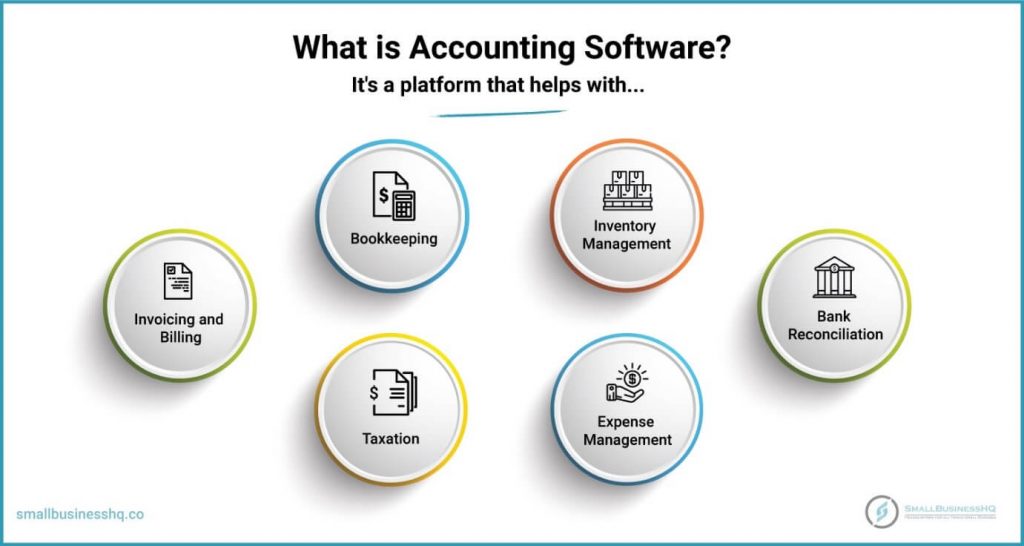
Credit: smallbusinesshq.co
Benefits Of Accounting Software
Accounting software offers many benefits for businesses of all sizes. It helps manage finances more easily and saves valuable time. The software reduces mistakes and provides clear, up-to-date financial information. These benefits improve business decisions and overall efficiency.
Time Savings
Accounting software automates many tasks like invoicing and payroll. It reduces the hours spent on manual data entry and calculations. This gives business owners more time to focus on growth and strategy. Faster processes mean quicker access to financial reports.
Error Reduction
Manual accounting often leads to errors in numbers and data. Software minimizes these mistakes by automating calculations. It also checks for inconsistencies and alerts users to potential problems. Accurate records help avoid costly fines and improve trust with clients.
Real-time Financial Insights
Accounting software updates financial data instantly. Businesses can see their cash flow, expenses, and profits at any moment. This real-time view helps make better decisions quickly. Access to current data supports planning and spotting trends early.

Credit: www.business.com
Key Features That Drive Efficiency
Accounting software comes with features that save time and reduce errors. These tools help businesses manage finances smoothly. They improve accuracy and keep records organized. Here are some key features that boost efficiency in any business.
Automated Invoicing And Payments
Automated invoicing sends bills to customers quickly. It reduces manual work and speeds up payment collection. The software can also send reminders for overdue payments. This keeps cash flow steady and reduces late payments.
Expense Tracking
Expense tracking lets businesses record costs easily. It helps monitor where money is spent. This feature organizes receipts and bills in one place. It makes budgeting simple and prevents overspending.
Financial Reporting Tools
Financial reporting tools create clear and detailed reports. They show profits, losses, and cash flow at a glance. These reports support smart decision-making. They help businesses understand their financial health quickly.
Impact On Business Profitability
Accounting software plays a key role in increasing business profitability. It helps track money coming in and going out clearly. This lets business owners make smarter financial decisions. The software also saves time and reduces errors, which can improve profit margins. Understanding how it impacts cash flow, budgeting, and costs is essential for any business.
Better Cash Flow Management
Accurate cash flow tracking is simple with accounting software. It shows real-time income and expenses. This helps avoid running out of money unexpectedly. Businesses can plan payments and collections better. Clear cash flow data supports healthy financial operations. It reduces the risk of late fees and missed opportunities.
Improved Budgeting
Creating and following budgets is easier with software tools. It organizes past financial data clearly. Businesses can set realistic spending limits and sales goals. The software helps monitor budget progress regularly. This prevents overspending and supports steady growth. Better budgeting leads to stronger financial control and higher profits.
Identifying Cost-cutting Opportunities
Accounting software highlights where money is spent most. It breaks down expenses by category or project. Businesses can spot unnecessary or high costs quickly. This allows focused efforts to reduce wasteful spending. Cutting costs wisely increases profit without hurting quality. Clear expense reports support smarter cost management decisions.
Choosing The Right Software
Choosing the right accounting software is a key step for any business. The right tool can save time and reduce errors. It supports growth and adapts to changing needs. Picking software that fits your business ensures smooth daily operations.
Consider factors that matter most for your company. This helps avoid costly switches later. The right software will match your current processes and future plans.
Scalability And Customization
Businesses grow and change over time. Software must grow too. Choose a program that can handle more transactions and users. Custom options allow the software to fit your unique needs. Tailored features improve efficiency and reduce extra work.
Integration With Other Systems
Accounting software works best when it connects with other tools. Integration with payroll, inventory, and sales systems saves time. It reduces data entry mistakes by syncing information automatically. This keeps your records accurate and up to date.
User-friendliness
Software should be easy to use for all team members. Clear menus and simple layouts reduce confusion. Training time becomes shorter, and mistakes decrease. A user-friendly system lets staff focus on work, not software problems.
Common Challenges And Solutions
Businesses face many challenges when adopting accounting software. These challenges can slow down progress. Understanding common problems helps find solutions fast. This section covers key issues and how businesses handle them.
Data Security Concerns
Protecting financial data is crucial for every business. Accounting software stores sensitive information. Data breaches can cause serious damage. Many software options use encryption to keep data safe. Regular backups prevent data loss. Access controls limit who can see information. Businesses must choose software with strong security features.
Training And Adoption
Learning new software can be hard for staff. Some may resist changing old habits. Simple and clear training materials help. Hands-on practice builds confidence quickly. Many providers offer tutorials and guides. Supportive management encourages team members to try. Easy software design makes adoption faster.
Technical Support
Technical issues can disrupt daily work. Quick help is important to fix problems. Reliable software providers offer customer support. Support may include phone, chat, or email. Clear instructions reduce confusion. Businesses should select software with good support. This keeps operations running smoothly.
Future Trends In Accounting Software
The future of accounting software is bright and full of change. New technology helps businesses manage money faster and easier. These tools improve accuracy and save time. They also make it simple to track expenses, invoices, and taxes. Let’s explore some key trends shaping accounting software.
Cloud-based Solutions
Cloud accounting software stores data on the internet, not on a local computer. This allows users to access accounts anytime and from anywhere. It also means businesses can share financial information with their team or accountant quickly. Cloud solutions update automatically, so users always have the newest features. Security is strong, protecting sensitive data from loss or theft.
Ai And Automation
Artificial intelligence (AI) helps automate routine tasks like data entry and transaction categorization. This reduces human error and speeds up processes. AI can also analyze financial patterns to give insights and warnings. Automation means businesses spend less time on manual work and more on planning. It helps companies stay organized and make smarter decisions.
Mobile Accessibility
Mobile apps let users manage their finances on the go. Business owners can check balances, send invoices, and approve expenses from their phones. Mobile access improves flexibility and keeps work moving outside the office. It supports real-time updates so everyone stays informed. This convenience helps businesses respond quickly to financial needs.
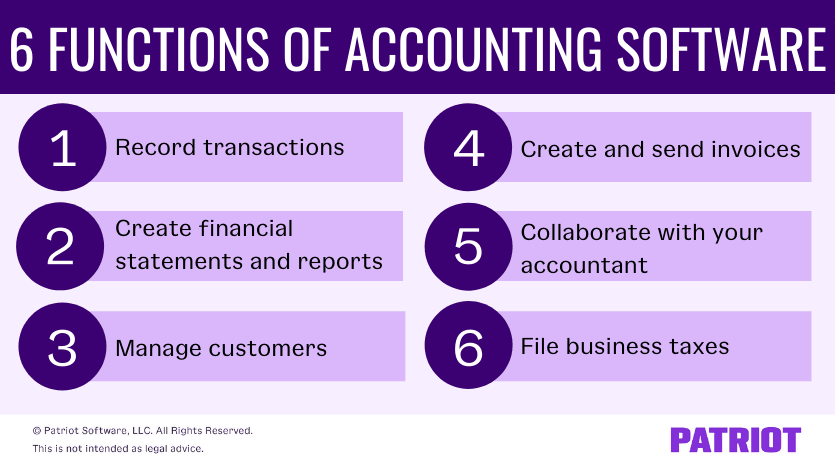
Credit: www.patriotsoftware.com
Frequently Asked Questions
How Does Accounting Software Improve Business Efficiency?
Accounting software automates financial tasks, reducing manual errors and saving time. It streamlines invoicing, payroll, and reporting, allowing businesses to focus on growth and strategy.
Can Accounting Software Help With Tax Compliance?
Yes, accounting software tracks expenses and income accurately, making tax filing easier. It generates necessary reports and ensures deadlines are met, reducing the risk of penalties.
What Features Should I Look For In Accounting Software?
Look for invoicing, expense tracking, payroll integration, and financial reporting. Cloud accessibility, user-friendly interface, and real-time data updates are also important for smooth operations.
How Does Accounting Software Support Financial Decision-making?
It provides real-time financial data and analytics, helping businesses monitor cash flow and profitability. This insight enables informed decisions and better financial planning.
Conclusion
Accounting software saves time and reduces errors in daily tasks. It helps track money and manage bills easily. Businesses stay organized and make better decisions. Reports are clear and ready when needed. Many tools work well with other business apps.
Overall, using accounting software supports growth and smooth operations. It makes handling finances less stressful for everyone. Simple, smart, and useful—that’s what good software offers.
