
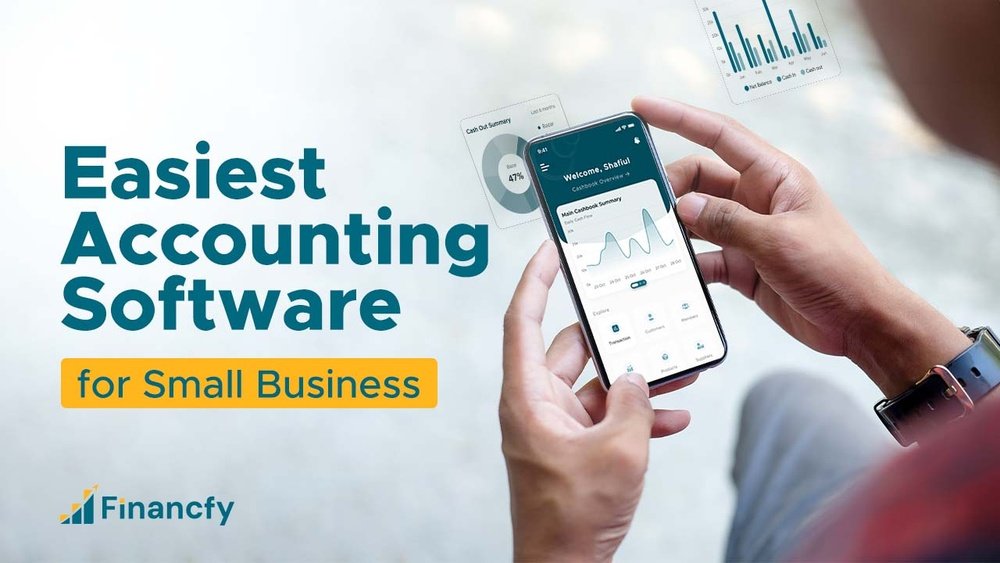
Are you tired of juggling numbers and struggling to keep your small business finances organized? Imagine having your own accounting software tailored exactly to your needs—simple, reliable, and easy to use.
Creating accounting software might sound complicated, but what if you could build a tool that saves you time, reduces errors, and helps you focus on growing your business? You’ll discover clear, step-by-step guidance to make your own accounting software, even if you’re not a tech expert.
Ready to take control of your business finances like never before? Let’s get started.

Credit: www.invensis.net
Choosing The Right Features
Choosing the right features is key to building good accounting software for small businesses. The right features help users manage money easily and avoid mistakes. They save time and make tasks simple. This section covers the most important features to include.
Essential Accounting Functions
Include basic functions like invoicing, expense tracking, and bank reconciliation. These help users keep clear records. Payroll management and tax calculations are also important. Make sure the software can generate financial reports. These features support daily accounting work.
User-friendly Interface
The software must be easy to use. Simple menus and clear buttons help users navigate quickly. Avoid complicated steps or too many options. A clean design reduces confusion. Users should find what they need without extra effort.
Customization Options
Every business is different. Allow users to customize invoices, reports, and dashboards. Let them add or remove features based on needs. This flexibility makes the software more useful. Small businesses can adapt it to fit their processes.

Credit: zetran.com
Planning The Software Architecture
Planning the software architecture is the first key step in building accounting software for small businesses. It sets the foundation for how the software will function and grow. Good planning helps avoid problems later and keeps the software easy to use and maintain.
The architecture defines the structure and interaction between different parts of the software. It decides which tools to use, how to store data, and how to handle more users as the business grows. Careful planning saves time and money during development and after launch.
Selecting The Technology Stack
Choosing the right technology stack is crucial. It includes programming languages, frameworks, and tools used to build the software. Select technologies that are easy to learn and have strong community support. This helps fix bugs and add features faster.
Consider using popular languages like JavaScript or Python for flexibility. Frameworks like React or Angular can make the user interface smooth and responsive. Pick tools that work well together for faster development.
Database Design
A well-planned database stores all accounting data securely and efficiently. Design tables to organize data like invoices, payments, and customers clearly. Use simple relationships to link data and avoid confusion.
Ensure the database supports quick searches and reports. This makes it easier for users to find information. Choose databases like MySQL or PostgreSQL that handle data safely and scale well.
Scalability Considerations
Plan the software to handle growth in users and data. Small businesses may start small but need more features and capacity later. Design the system so it can add resources without slowing down.
Use modular code to add or update features without big changes. Optimize performance to keep the software fast. Prepare for cloud hosting options to support more users easily.
Developing Core Modules
Developing core modules is essential when creating accounting software for small businesses. These modules handle the main tasks needed to manage finances efficiently. Each module must work smoothly and be easy to use. Clear, simple features help users avoid confusion and save time.
Building the right modules helps small businesses track money and make smart decisions. Focus on key areas like billing, expenses, and reports. These parts form the backbone of the software and must be reliable and accurate.
Invoice And Billing System
An invoice and billing system lets users create and send bills quickly. It should allow easy input of customer details and products. Automatic calculations for taxes and totals save time. Users need options to customize invoices with logos and messages. The system should send invoices by email and track payment status. Clear billing helps businesses get paid faster and stay organized.
Expense Tracking
Expense tracking records all costs a business has. It should let users add expenses by category and date. Uploading receipts and notes makes tracking easier. The software must calculate total expenses automatically. Users should see summaries to control spending. Good expense tracking prevents surprises and helps budget better.
Financial Reporting
Financial reporting shows the business’s money status in reports. The software should create clear reports like profit and loss, balance sheets, and cash flow. Reports must update with the latest data. Users need simple charts and tables to understand their finances. Easy reporting helps owners make smart money choices.
Ensuring Security And Compliance
Security and compliance are key in building accounting software for small businesses. Protecting sensitive data and following rules help build trust. These steps reduce risks and keep business finances safe.
Data Encryption
Data encryption changes information into a secret code. This keeps data safe during storage and transfer. Use strong encryption methods like AES-256. It stops hackers from reading private financial details.
User Authentication
User authentication checks who tries to access the software. It ensures only allowed users can see or change data. Use multi-factor authentication for better safety. Require strong passwords and verify users with codes or biometrics.
Regulatory Standards
Follow laws and rules for data and finance. These include GDPR, HIPAA, or local tax laws. Compliance avoids legal problems and fines. Keep software updated to meet changing regulations. Regular audits help find and fix issues fast.
Integrating Payment Gateways
Integrating payment gateways is a key step in building accounting software for small businesses. It allows smooth handling of money transfers between customers and the business. Payment gateways connect the software to banks and card networks. This makes the payment process secure and fast.
Proper integration helps track all payments in one place. It improves accuracy and saves time for business owners. The software can update accounts automatically after each transaction. This reduces errors and simplifies bookkeeping tasks.
Popular Payment Options
Include common payment methods to meet customer needs. Credit and debit cards are widely used. Digital wallets like PayPal and Apple Pay are popular too. Bank transfers remain a trusted choice for many users. Offering multiple options increases convenience. It also helps capture more sales and payments.
Handling Transactions
Process each payment securely and quickly. Verify the payment data to avoid mistakes or fraud. Confirm successful transactions before updating accounts. Store transaction details for future reference and reports. Handling transactions well builds trust and keeps records clear.
Managing Refunds
Refunds are part of business operations. Make sure the software supports easy refund processing. Track refunds separately to avoid confusion. Update the customer’s balance and financial reports correctly. Clear refund management improves customer satisfaction and trust.

Credit: akaunting.com
Testing And Debugging
Testing and debugging are crucial steps in making accounting software for small businesses. These steps help find mistakes and fix them. Good testing ensures the software works correctly and is reliable for users.
Errors in accounting software can cause serious problems. Testing helps catch these issues early. Debugging solves the problems found during tests. Both steps improve the software’s quality and user trust.
Automated Testing
Automated testing uses software tools to run tests quickly. It checks many functions without human help. This saves time and finds errors faster. Automated tests run often during development. They help keep the software stable and error-free.
User Acceptance Testing
User acceptance testing involves real users trying the software. Users check if the software meets their needs. They report any problems or confusing parts. This testing ensures the software is easy to use. It confirms the software is ready for real business use.
Bug Fixing Strategies
Bug fixing starts by understanding the problem clearly. Developers look at error reports and test results. They find the cause and fix it step by step. Keeping track of bugs helps avoid repeat errors. Testing again after fixes ensures the problem is solved. Clear communication among the team speeds up the process.
Deploying And Maintaining Software
Deploying and maintaining accounting software is a key step for small businesses. It ensures the software runs smoothly and stays secure. Proper deployment allows users to access features without trouble. Maintenance keeps the system updated and free from bugs. Both stages require careful planning and effort.
Cloud Vs On-premise
Choosing between cloud and on-premise deployment affects how the software works. Cloud software runs on the internet, so users can access it anywhere. It needs less hardware and is easier to update. On-premise software installs on local computers. It offers more control but needs more IT support. Each choice fits different business needs and budgets.
Regular Updates
Regular updates keep the software secure and efficient. They fix bugs and add new features. Updates prevent errors that can slow down work. Schedule updates during off-hours to avoid disruptions. Small businesses should automate updates to save time. Staying current protects financial data and improves performance.
Customer Support
Good customer support helps solve problems fast. Support teams guide users through issues and questions. It reduces downtime and keeps business running. Choose software with clear support options like chat, phone, or email. Training and resources also help users get the most out of the software. Reliable support builds trust and confidence.
Marketing And User Acquisition
Marketing and user acquisition are key steps in growing your accounting software. Without users, even the best software stays unused. Focus on reaching the right people and showing them value clearly.
Understanding who needs your software helps create better messages. Use simple ideas to explain how your tool solves common problems. Trust and ease of use matter most for small businesses.
Identifying Target Audience
Start by defining the small businesses that need your software. Consider their size, industry, and pain points. Are they freelancers, retailers, or service providers? Knowing this helps tailor your message.
Think about their challenges with accounting. Is it tracking expenses, generating invoices, or tax preparation? Focus on the features that solve these issues clearly.
Effective Marketing Channels
Choose marketing channels where your target audience spends time. Social media platforms like Facebook and LinkedIn are good for business owners. Email campaigns can provide updates and tips.
Use simple ads that explain benefits quickly. Tutorials and demo videos help show how easy your software is. Blogging about small business accounting problems also attracts users.
Building User Trust
Trust is crucial for financial software. Offer free trials so users can test without risk. Share clear privacy policies and explain data security steps.
Provide excellent customer support with fast answers. Collect and display user reviews to build confidence. Show real examples of how your software helps small businesses succeed.
Frequently Asked Questions
What Features Should Small Business Accounting Software Include?
Small business accounting software should include invoicing, expense tracking, payroll, tax calculation, and financial reporting. These features simplify bookkeeping and ensure accurate financial management.
How Much Does It Cost To Develop Accounting Software?
The cost varies based on features, complexity, and platform. Basic software may cost $5,000-$15,000, while advanced solutions can exceed $50,000.
Which Programming Languages Are Best For Accounting Software?
Popular languages include Java, Python, C, and JavaScript. These languages offer strong security, scalability, and integration capabilities.
How Can I Ensure Data Security In Accounting Software?
Implement encryption, secure login, regular backups, and compliance with data protection laws. These measures protect sensitive financial information effectively.
Conclusion
Creating accounting software for small businesses takes clear planning and simple steps. Focus on key features like invoicing, expense tracking, and reports. Test the software often to fix any issues quickly. Keep the design user-friendly so anyone can use it easily.
Remember, good software helps businesses save time and avoid mistakes. Start small, improve gradually, and listen to user feedback. This approach leads to a useful tool that meets real needs. Building your own software can be rewarding and practical for small business success.
